ImpactPay overview
ImpactPay is ekko's hosted page where consumers can view the estimated carbon footprint of their purchase and choose to fund verified environmental projects, with ekko handling the payment flow.
See ImpactPay in action at impactpay.ekko.earth.
How ImpactPay works
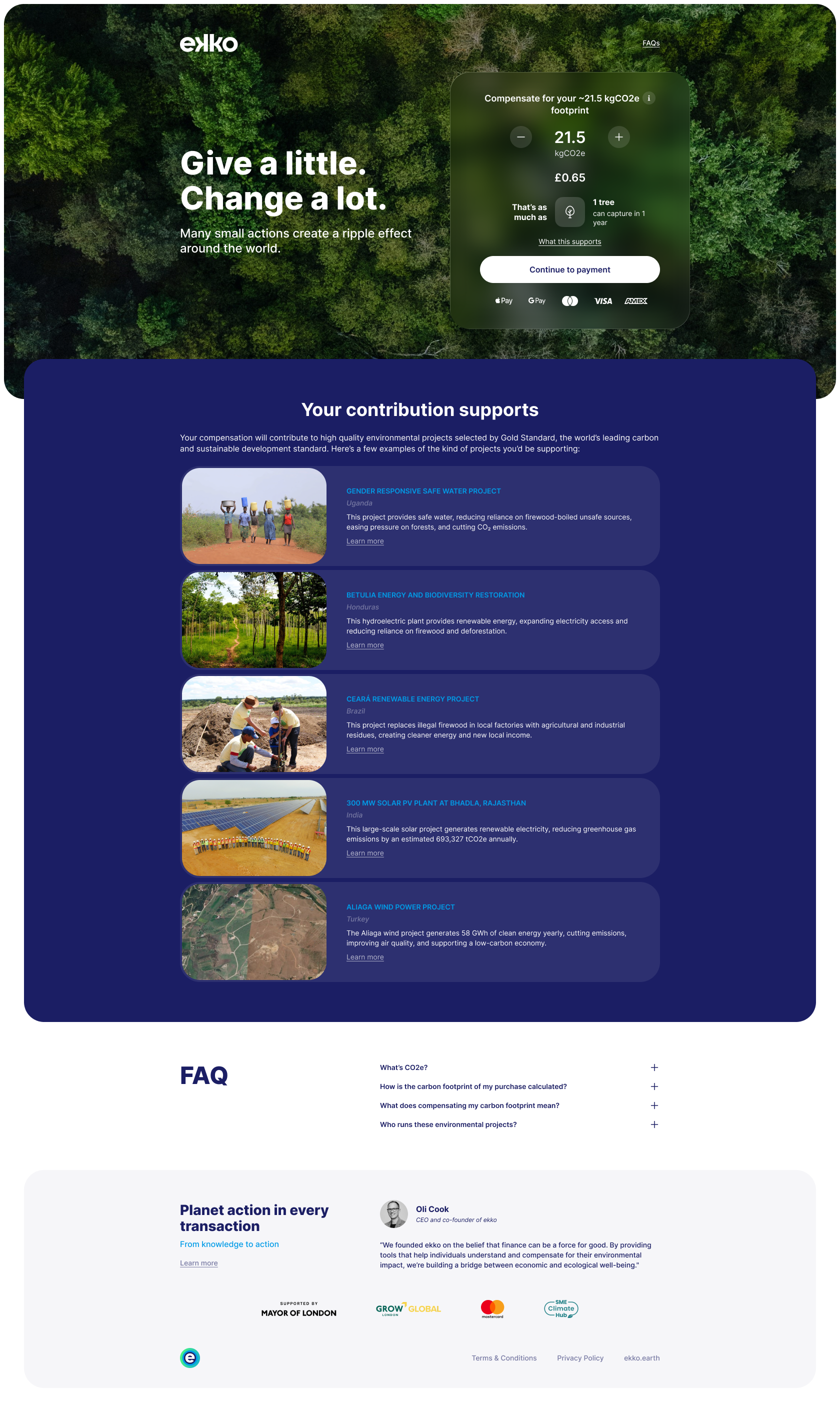
After a consumer completes a purchase, ImpactPay shows the estimated carbon footprint of their transaction alongside information about the verified environmental projects their contribution will support.
The consumer can adjust the volume of CO₂e they want to address, read about the impact partners behind the projects and complete a contribution through ekko's hosted payment page. ekko processes the payment and, if the consumer opts in, sends a receipt by email.
ImpactPay processes contributions and reversals on your behalf, and these appear in your funds allocation records automatically.
What consumers can do
On the ImpactPay page, consumers can:
- View the estimated carbon footprint of their purchase, with relatable equivalents such as kilometres driven or hours of phone charging
- Adjust the volume of CO₂e they want to address, with the contribution value updating accordingly
- Read about the impact partners and the verified projects their contribution will fund
- Complete a payment through ekko's hosted payment flow
- Choose to receive an email receipt as a record of their contribution
How consumers reach ImpactPay
Consumers can reach ImpactPay in one of two ways:
- Post-purchase SDKs: your backend creates a session and the SDK displays a CTA button that takes the consumer to ImpactPay
- ImpactPay URL: your backend creates a session and receives a hosted link, which you share with the consumer via email, receipt or SMS
End-to-end flow
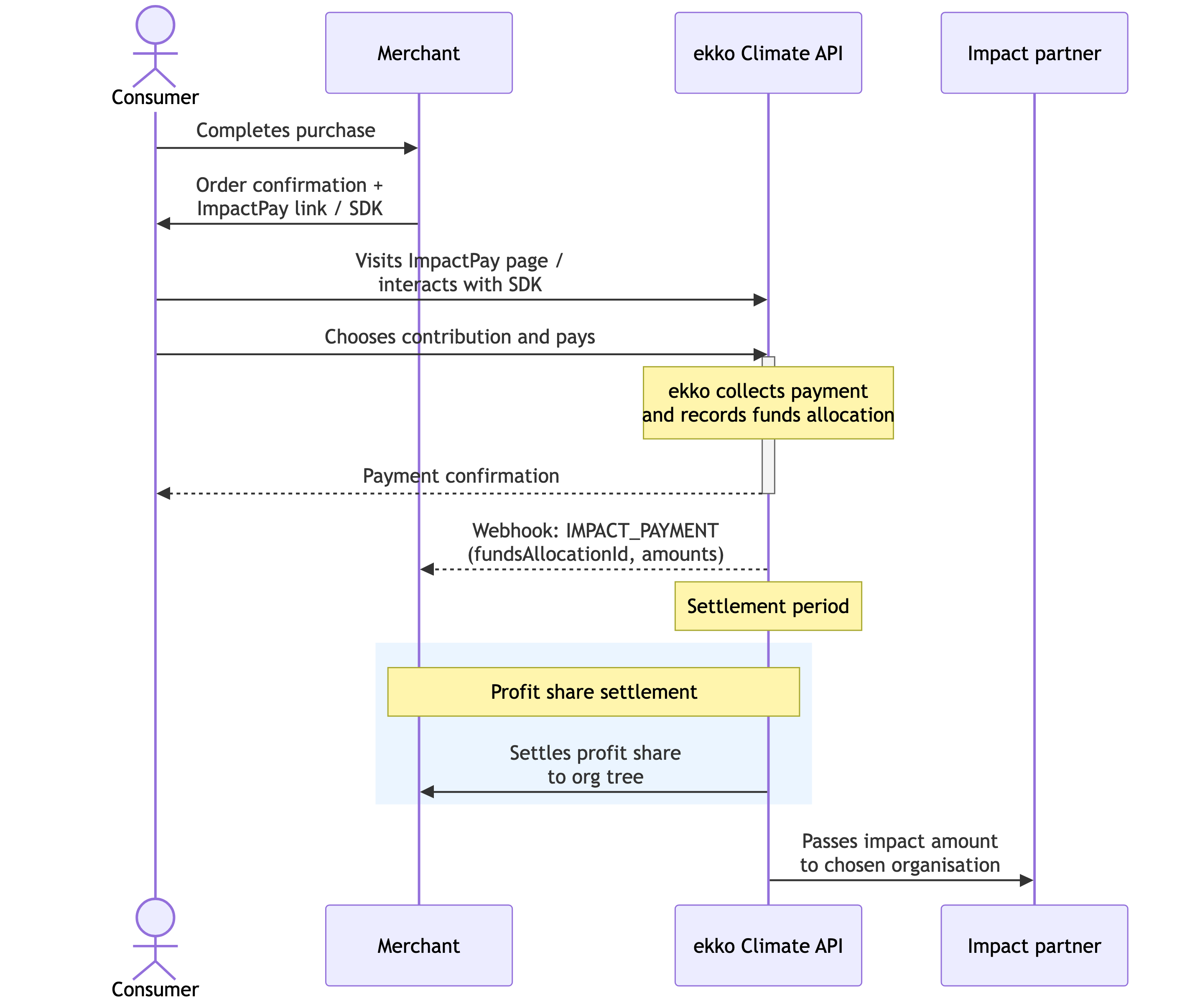
The diagram below shows the full ImpactPay journey: from order confirmation through to settlement and distribution of funds to the impact partner.